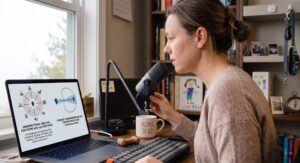

A laptop microphone is an omnidirectional capsule. Omnidirectional means exactly what it sounds like. It picks up sound arriving from every direction at roughly equal sensitivity. The microphone does not know you are the person speaking. It does not know Reve is three feet away asking for crackers at increasing volume. It does not know the Colorado wind is hitting the window behind your desk. It captures all of it and sends it to every person on your call with equal enthusiasm.
This is not a flaw in your specific laptop. It is a design decision made for the general consumer use case, which is occasional video calls in a quiet room. For a remote professional logging four to six hours of call time daily in a shared living space, it is the wrong tool for the environment.
The fix is a directional microphone. Understanding the difference between the two main pickup patterns, cardioid and omnidirectional, is the starting point for every audio upgrade decision in a home office.
Cardioid vs. Omnidirectional: What the Pickup Pattern Actually Means
A pickup pattern is the three-dimensional map of where a microphone is sensitive to sound and where it is not.
Omnidirectional microphones capture sound equally from all directions in a sphere around the capsule. Useful for recording rooms, ambient sound, and group conversations where multiple people sit at varying positions around the mic. Counterproductive in a home office where the goal is isolating one voice from background noise.
Cardioid microphones capture sound in a heart-shaped pattern in front of the capsule and reject sound arriving from behind and the sides. The rejection at the rear of a cardioid mic sits between 15 and 25 decibels depending on the capsule quality. In practical terms, a sound source directly behind the microphone arrives at the listener at roughly one-sixth the volume of the same sound source positioned in front of it.
Fifteen to twenty-five decibels of rear rejection is the difference between a call where your colleagues hear Reve asking for snacks and a call where they do not.
Beamforming takes the cardioid concept further using digital signal processing rather than capsule geometry alone. A beamforming microphone uses an array of capsules and processes their inputs simultaneously to create a focused pickup zone that can be as narrow as a cone directly in front of your mouth. Sound arriving outside that cone gets attenuated aggressively regardless of direction. The SteelSeries Alias uses a variation of this approach, combining a cardioid capsule with onboard DSP to create what the product team calls a supercardioid pattern, a narrower and more directional version of the standard cardioid shape.
The trade-off with tighter patterns is positioning sensitivity. A supercardioid microphone that rejects more background noise also requires more consistent placement relative to your mouth. Move two inches off axis and your voice starts losing presence. This is the tension that every directional microphone review glosses over and every remote working parent discovers during the first week of use.
The SteelSeries Alias: What It Does and Whether It Earns Its Price
The SteelSeries Alias sits at $99 for the USB version and $149 for the version with a dedicated mixer. It targets the professional who needs broadcast-quality audio without a broadcast studio setup. In the home office context that means clear voice capture in an imperfect acoustic environment without acoustic panels, without a separate audio interface, and without a setup process that requires a manual.
The design reads as considered rather than aggressive. Matte black cylindrical body, minimal branding, a form factor that sits on a desk without announcing itself across a video call background. For a Stealth Office setup in a Colorado living space, it disappears into the environment the way good desk hardware should.
The supercardioid pattern on the Alias captures a tighter cone than a standard cardioid microphone. In a shared workspace this translates directly into less room sound, less HVAC noise, and less toddler interference reaching the other end of a call. The onboard DSP handles a significant portion of the background rejection work before the audio even reaches your computer, which means the noise reduction is not dependent on software settings that reset between calls or vary between platforms.
Setup is genuinely plug and play. USB-C connection, no drivers required, recognized immediately by macOS and Windows as an audio input device. The gain control sits on the front of the body as a physical dial rather than a software slider, which means adjusting input level during a live call takes one hand and two seconds rather than a menu navigation sequence.
The physical mute button is the feature that gets the least coverage in technical reviews and the most use in a home with a three-year-old. A single tap mutes the input with an LED indicator that changes color to confirm the status. No keyboard shortcut. No application window that needs to be in focus. One button, immediate result, visible confirmation. During a call where Reve decides to demonstrate his current favorite sound at full volume from somewhere behind the desk, the time between registering the problem and solving it matters.
Positioning the Alias for Maximum Background Rejection in a Shared Space
Microphone positioning is where most home office audio setups lose the gains that the hardware provides. A cardioid or supercardioid microphone positioned incorrectly delivers worse results than a well-positioned omnidirectional microphone because the pickup pattern assumptions built into the design are only valid at the right distance and angle.
The three positioning rules that apply specifically to a shared living space setup:
Distance: The Alias performs best with the capsule positioned 15 to 25 centimeters from your mouth. Closer than 15 centimeters introduces proximity effect, a bass frequency buildup that makes voices sound unnatural. Further than 25 centimeters requires higher gain settings that bring more room noise into the pickup zone along with the voice signal.
Angle: The capsule should point directly at your mouth, not at your chin or forehead. The supercardioid pattern’s tightest rejection window aligns with the central axis. Off-axis positioning of more than 20 degrees starts degrading the background rejection performance progressively.
Rear orientation: The rear null of the supercardioid pattern, the direction of maximum rejection, should point toward the primary noise source in the room. In a Colorado home office where the primary noise source is a three-year-old operating somewhere behind and to the left of the desk, orienting the microphone so its rear faces that direction rather than the window or the HVAC vent is the single highest-return positioning adjustment available.
Most desk microphone stands position the capsule pointing upward at an angle rather than directly at the mouth. The Alias ships with a standard desk stand that allows adjustment to a direct horizontal position. Using a boom arm instead of the desk stand improves positioning consistency across different postures during a long work day and removes the microphone from the desk surface entirely, eliminating the low-frequency rumble that transfers through the desk from keyboard typing and the occasional impact of a plastic dinosaur being set down firmly on the surface.
The boom arm is not included. It is worth the additional $25 to $40 for any microphone in this category. The positioning control it provides over a desk stand is not marginal. It is the difference between the microphone working as designed and the microphone working at 70 percent of its potential because the capsule is pointing at your collar rather than your mouth.
The Reve Test: Recording a Demo While a Toddler Auctions His Snack Preferences in the Background
The test setup was straightforward. One Zoom call recording, one SteelSeries Alias on a boom arm positioned at 20 centimeters from my mouth, rear null oriented toward the living area behind the desk. Reve was in the room. He had opinions about his afternoon snack and was not keeping them private.
The test ran across three separate recordings on three different days to account for variation in Reve’s volume, distance from the microphone, and the specific nature of his grievances. Day one involved a standard snack negotiation conducted at moderate volume approximately two meters behind the desk. Day two involved a higher-stakes situation where the requested snack was unavailable and the response to this news was delivered at a volume that could be described as broadcast quality. Day three involved a toy-related incident that escalated quickly and resolved slowly.
What the Alias Captured and What It Rejected
Day one results were strong. The Alias captured voice cleanly at the primary position with no audible Reve presence in the recording. The background negotiation registered as a faint room ambience at a level that would not register as a distraction to a call participant. The onboard DSP handled the low-level background conversation without any perceivable effect on voice quality at the primary position.
Day two results were more instructive. At peak volume from two meters, Reve’s contribution to the audio environment crossed the rejection threshold of the supercardioid pattern and became audible in the recording at a low but present level. Not intelligible. Not the dominant sound in the recording. But present. This is the honest result that the marketing materials do not cover because the marketing materials were not tested against a 38-month-old at full emotional expression.
The practical implication is this. The SteelSeries Alias reduces background noise from a toddler in the same room to inaudible at normal activity levels and to present but non-dominant at peak volume levels. It does not eliminate the problem entirely. Nothing short of a soundproofed room eliminates the problem entirely. What it does is compress the problem from a call-disrupting level to a manageable one, which in a shared home workspace is the realistic and correct benchmark.
Day three results confirmed the day two findings. Escalated toddler audio at close range registers. Standard toddler audio at normal operating distance does not.
How the Alias Compares to the Rode NT-USB Mini and the Blue Yeti X
The comparison that matters at the Alias price point involves two other USB microphones that appear frequently in home office recommendations.
The Rode NT-USB Mini sits at $99 and uses a cardioid pattern rather than the supercardioid pattern of the Alias. The standard cardioid provides slightly less rear rejection than the supercardioid, which in Reve Test terms means marginally more background presence in day two and day three scenarios. The Rode has a warmer tonal character that some voices prefer, and the build quality is exceptional for the price. For a professional whose primary noise concern is moderate background activity rather than intermittent high-volume toddler events, the Rode NT-USB Mini is a comparable choice at the same price point.
The Blue Yeti X sits at $130 and offers four switchable pickup patterns including cardioid, omnidirectional, bidirectional, and stereo. The pattern flexibility is genuinely useful for different recording scenarios but adds a complexity layer that creates a specific failure mode in a busy home office. The correct pattern needs to be selected before each use. One call started on the omnidirectional setting instead of cardioid delivers the exact opposite of the intended result. The Alias has one pattern and it is always the right one for the home office use case. That simplicity is a feature rather than a limitation.
Who Needs a Directional Microphone and Who Can Keep Using Their Laptop
A directional microphone is not optional equipment for a remote professional who takes more than two hours of calls daily in a shared space. The laptop microphone is building a case against your professional credibility one call at a time, and most of the people on the other end of those calls are too polite to mention it.
The SteelSeries Alias is the right entry point for the home office with background noise challenges. The supercardioid pattern handles the majority of shared-space audio problems at normal activity levels. The physical mute button handles the exceptions. The plug and play setup means it is working on the first call rather than after a configuration session.
Who Should Buy the SteelSeries Alias
The Alias is for the remote professional who wants the background noise problem solved without building an audio production setup around it. It is for the parent who needs a physical mute button within reach at all times. It is for the person whose colleagues have stopped mentioning the background noise because they have accepted it as a permanent feature of every call, and who has decided that is not acceptable.
Buy the Alias if:
- You take two or more hours of calls daily from a shared living space
- Your primary noise challenge is a consistent background source behind or beside the desk
- You want physical controls rather than software-dependent audio management
- You are running a Stealth Office setup where the microphone needs to disappear visually as well as acoustically
Who Should Skip the Alias and Consider Alternatives
Skip the Alias if your call volume is low enough that the laptop microphone’s limitations only surface occasionally. A Bluetooth headset with a boom microphone at $40 to $60 solves the audio problem for light call users at a fraction of the cost and without occupying desk space.
Skip it also if your noise challenge comes primarily from above or beside your mouth rather than behind you. A supercardioid pattern’s rear null is its primary weapon. If the noise source sits in the side rejection zone rather than the rear null, a standard cardioid microphone like the Rode NT-USB Mini provides comparable rejection at the same price with a more forgiving positioning requirement.
The $99 price point is justified when the microphone is in use daily. Amortized across a full year of remote work, it costs less per day than the coffee that is also on the desk.
Follow-Up Questions
Does the SteelSeries Alias work with iPad or mobile devices for calls on the go?
The Alias connects via USB-C and works with any device that supports USB audio input including iPads with USB-C ports. Lightning port iPads require an adapter. Mobile call quality improvement is real but the gain over a modern phone’s built-in microphone is less dramatic than the gain over a laptop microphone, because phone microphones in current generation devices are meaningfully better than laptop microphones at background rejection.
How much does room acoustics affect microphone performance in a home office?
Room acoustics affect every microphone but affect directional microphones less than omnidirectional ones because the pattern rejection reduces the amount of reflected room sound reaching the capsule from off-axis directions. Hard parallel surfaces like bare walls and uncarpeted floors create early reflections that add a hollow quality to voice recordings regardless of microphone quality. A rug, a bookshelf with irregular surfaces, and soft furnishings in the recording environment improve results more cost-effectively than upgrading from a mid-tier directional microphone to a high-tier one.
Is the SteelSeries Alias worth it if I already use AirPods for calls?
AirPods use beamforming microphone arrays and onboard DSP to achieve background rejection that is competitive with entry-level dedicated USB microphones. For casual calls the difference is marginal. For recorded content, presentations, or calls where audio quality directly reflects on professional credibility, the Alias produces a noticeably cleaner and more present voice signal than AirPods in a noisy environment. The comparison is closer than most dedicated microphone reviews will admit, and further apart than most AirPod reviews will acknowledge.